How to Check if a Website is Legit?
Web development is not everyone’s forte. The few who know what they are doing are few and far between. Some developers will claim to be experts, and telling the fakes and experts is almost impossible for someone with zero development knowledge. Besides a true website checker, there are tools on the market that allow you to check how well your website performs. You may be looking for developers to build your site, and some of these are considerations while making a choice.
1. Website HTML Validator
This tool is a lifesaver and can tell you a lot about the web developer’s quality control. One page at a time, type some of your site’s primary web pages in the validator. The HTML validator displays the HTML errors present on that page.
It may or not be a big deal, so you need to keep the error numbers in perspective. HTML’s nature is such that an error in a page’s beginning may appear as numerous errors. The analogy used to explain this is how arithmetic, you make a calculation error at the start of a problem, affecting the rest of the calculations. Most of the time, you can fix these errors in one fell swoop.

It is critical to know the errors as they do not mean your site is all bad. Even the most successful websites sometimes have errors. This tells you that the developer did not validate the site and did not write the code according to the stipulated industry standards. These errors happen a lot, and the browser is left trying to decipher what the web developer intended to say with the erroneous code. Some browsers can effectively ‘guess,’ but that does not make it okay for such errors to be present.
2. Google Site Search
It would be best to build your web pages in a style that maximizes the search engines’ click-throughs. One test confirms how well the search engines index your site and how your site pages appear in Google. To do this test, search on Google and use two keywords: “inurl” and “site.” These words will show you each page that Google has indexed. For instance, if your site is called Beachresort.com, a full search would be “site: beachresort.com inurl: beachrecort.com.
You will be checking:
- If each page contains a unique title that describes the page's content
- If the description found under the link is informative and relevant
- If all your site pages show up correctly or some of them are missing.
What you are trying to steer clear of is doing a search and getting numerous identical links. A visitor cannot tell them apart and will not know what is on your site pages. This is a quick and effective way of knowing if your web developers are working on the details. They might be doing the bare minimum to get it over and done with.
3. Watch out for Outdated Coding Processes
Sites that are built with outdated coding processes do not change as much as modern sites. Nothing should be left on your page except the content and images that come with the content. The following should not be visible on a good site:
- Multiple columns (all graphics and text should be in a single column)
- Custom text colors and fonts: All the text should appear in black and links in purple or blue
- Background color should be white
- No corner images should be scattered on the page
- Keyword spam: if there are hidden key phrases or words, or text that acts as Google bait on a site, those are poor develop
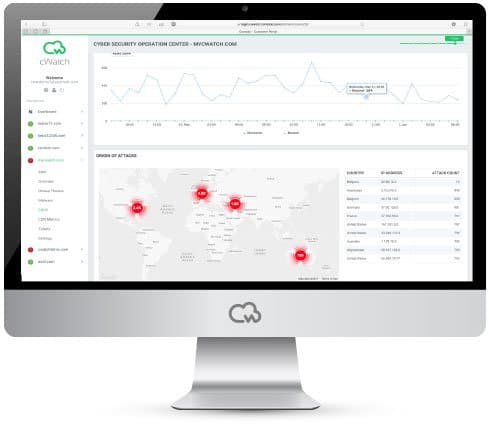
cWatch Website Checker Tool
These tools should be used with a pinch of salt and some common sense. You might want to do all three tests as well as use a web checker. If you are searching for a developer and haven’t built your site yet, check out some of the sites they have developed and test them.
Keep in mind that the developer of these sites may not be the ones maintaining them. The areas might include content generated by users like comments. A good developer knows this and plans accordingly, but sometimes the errors might be out of their jurisdiction or control. These insights do not mean you should overlook the developer's professionalism, so these tools should not be the only consideration you make when you look for a site developer or when you want to check how well your site is performing.