Cyber security is a serious concern for businesses of all sizes. The threat of malware and virus websites is a problem, especially for small businesses. Research shows that more than 43% of attacks target new companies because they are less equipped. Cyber attacks cost organizations billions of dollars in security and mitigation fees each year.
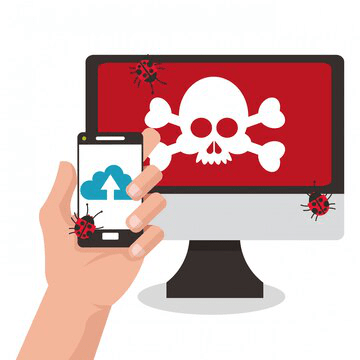
Virus websites exist. If you click on suspicious links without a second thought, know that you have exposed yourself to several malicious websites. Clicking on a random pop-up, a redirect link, or any shifty program can have serious ramifications. It is critical to identify, flag, and avoid these websites.
How You Get Viruses From Websites?
Yes, it is possible to get viruses through websites. Hackers use different techniques to find vulnerabilities in your network. One of the common strategies is using a vulnerable website plugin. Hackers set up a program that downloads and executes automatically without your knowledge. These plugins do not require you to download anything-they work automatically.
Another technique is using exploit kits. Exploit kits are used to direct traffic to a different website. In principle, hackers install these kits on compromised websites. It does all the work, so a hacker doesn't need to do any complex coding. Exploit kits automatically scan your website for vulnerabilities as you browse.
It is critical to ensure you do not click on links embedded in emails and always check the properties of any URL. Be vigilant when looking through websites and always try to find signs of legitimacy. Steer clear of websites that ask for personal information. Look for anything out of the ordinary before signing into any website.
How to Identify and Avoid Virus Websites?
You can use several techniques to identify legitimate, secure sites and avoid virus URLs.
Any website that tells you to download and run a program is a red flag. Once you click on the link to the website, if it launches a download window, it is a problem. In case a website asks to download a receipt or an invoice. Some malicious websites also tell you that you have won a competition. If a website offers free money, ask for your bank information.
Do a google search of any website that asks you to download or run any files. This search is the only way to evaluate the legitimacy of a website. If you want to download anything, ensure you do it from official websites.
There are drive-by-download websites that are very difficult to evade. Most people click on these links accidentally. To prevent this, ensure all your antivirus applications, browser, and security plugins are up to date.
Use Browser Security Tools
Always ensure you update your browser to the latest version. New updates come with security upgrades that give you better safety. Most browsers have security protocols that help protect you from virus websites by giving you a warning. On Chrome, for example, a vulnerable website will be tagged as NOT SECURE, and access to this site will be restricted.
An updated browser is a valuable tool, and it is one of the best ways to protect your online business. You can also download an antivirus and attach it to your browser for extra security. This add-on will help identify and flag malicious websites. Search engines also have several security features that you can utilize.
Invest in A Website Filtering Tool
Cybercriminals hack into the website and use them for malicious coding. Cybercriminals can hack any website. These criminals use legitimate sites to trick you into downloading malicious content. The best way to prevent this is to download a top-tier website filtering tool.
This tool blocks pop-ups, ads, and any content used by virus websites to bait unsuspecting users. It employs several techniques to find and block you from accessing dangerous websites. Any websites that seem questionable can easily be blocked. This solution ensures your network is secure and warns you when you are at imminent risk.
Use Google Safe Browsing
Google Safe Browsing is an online resource that shows you if a website has hosted malware in the past three months. This tool allows you to run the website URL through its database to see if has any suspicious activity. It is a free online resource that helps users vet websites.
This resource also allows you to check if a website has distributed malware.
Bottom Line
There are several other resources you can use to identify virus websites. The most critical practice is to ensure you do not randomly click on suspicious links. Take time to evaluate the authenticity of URLs to avoid falling victim to malicious websites.